


If you didn’t set up posting to Twitter when you started your page, you may find it hard to find the link. Facebook no longer lists it under a page’s apps NOR it listed under Your apps in your personal account, either.You can go to the app center and search to find twitter, but…
The easiest way to set up or edit posting to twitter from facebook: https://www.facebook.com/twitter/
Click on the account to select the page to link to twitter and choose what types of content you want to post to twitter. Since I use instagram to post to twitter, I’m going to skip images for now. I don’t want to double post.


Voila, done. If I’ve made a mistake (perhaps, the wrong page or wrong twitter account), I can unlink the facebook page to twitter, but if I want to completely disconnect I will want to deactivate it on the twitter side (more here on that).
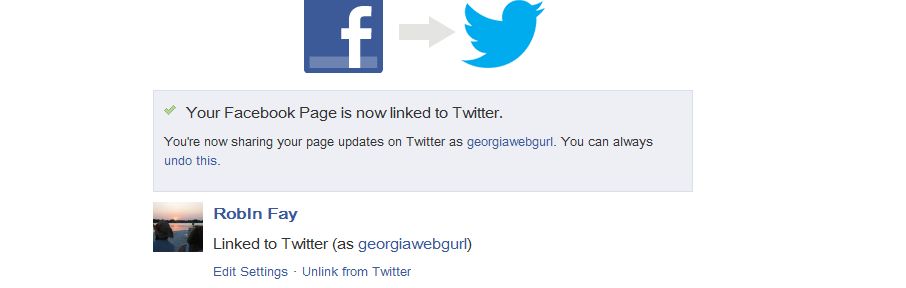
Editing settings for a page connected to twitter
https://www.facebook.com/twitter/
Click on the account linked to twitter and choose what types of content you want to post to twitter.SAVE changes.

Disconnecting facebook from twitter
If you are having problems with facebook posting to twitter or you chose the wrong account or page, you can disconnect and start over.
https://www.facebook.com/twitter/
Click on the account linked to twitter, click on Cancel. (Yes, Cancel)
Click on Unlink from Twitter. If you are having issues or you want to completely remove Facebook from Twitter, you’ll want to go into your Twitter apps on your twitter account afterwards because Facebook only unlinks the account, it doesn’t deactivate the app from Twitter)

If it worked, you will see a Link to Twitter button.


Now click on Apps on the left side menu.
(Note: You can also just use the link https://twitter.com/settings/applications to get to your apps)
We need to Revoke Access to Twitter, in order to completely sever the connection.
