

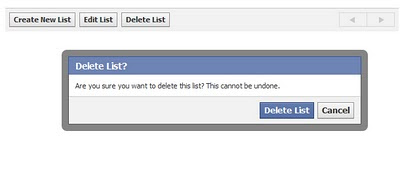
Q: How do I delete a friends list? I created one for a special event and I don’t need it anymore.
A: Facebook always seems to be moving things around and deleting or editing a friends list is no different. It’s easy enough to create a list (several ways, one being> Under the Friends link on the left menu, click on Friends and the first option is Create a list).
So, for those of you looking to delete list or rename it, go to: 
Account>Edit Friends
On the left menu under> Lists
Click on the list to be deleted or updated. You’re not deleting friends here, just deleting lists.
